AI Government Planning Writing Agent
This is an outsourcing project I completed for a company in China in two months. The project obtained a Computer Software Copyright in China (Registration No. 17741364).
Tech Stack: LangChain (LangGraph), Embedding AI, Vector Database, ChromaDB
Overall Functions
This AI agent is built on external knowledge bases and supports generating government planning reports (in Chinese) and revising them. The document is generated in three steps: selecting relevant knowledge bases by title relevance, generating an outline from the title and selected sources, and producing the full text based on all prior information.
- Staged Generation: The document is generated as outline first, then content.
- Knowledge Base Selection: The agent selects which external knowledge bases to reference based on the input title.
- Customized Knowledge Base: Users can specify which knowledge bases the AI must reference.
- Text Revision: After the full text is generated, users can select specific paragraphs to rewrite with additional requirements.
- Sidebar Q&A: A Q&A agent sits beside the main editing area, with access to the current text for answering questions.
Vector Database and RAG
Users begin report generation by entering a title.
The following example may be unintuitive because it is in Chinese. The user input title "上海市政府关于全市水资源卫生质量监管的专项规划" means "The special plan of the Shanghai Municipal Government on the supervision of water resources hygiene quality throughout the city".
The first thing the platform does is find a maximum of five knowledge bases most relevant to the input title. There are around 2,000 knowledge bases, and selection uses vector embeddings to compute similarity between texts.
Three relevant sections most related to "Shanghai water resources sanitation" are found:
- 上海市水系统治理“十四五“规划: The 14th Five-Year Plan for Water System Governance in Shanghai.
- 上海市生态空间建设和市容环境优化“十四五“规划: The 14th Five-Year Plan for Ecological Space Construction and Urban Appearance and Environment Optimization in Shanghai.
- 舟山市水生态环境保护“十四五“规划: The 14th Five-Year Plan for Water Ecological Environment Protection in Zhoushan City (a city close to Shanghai).
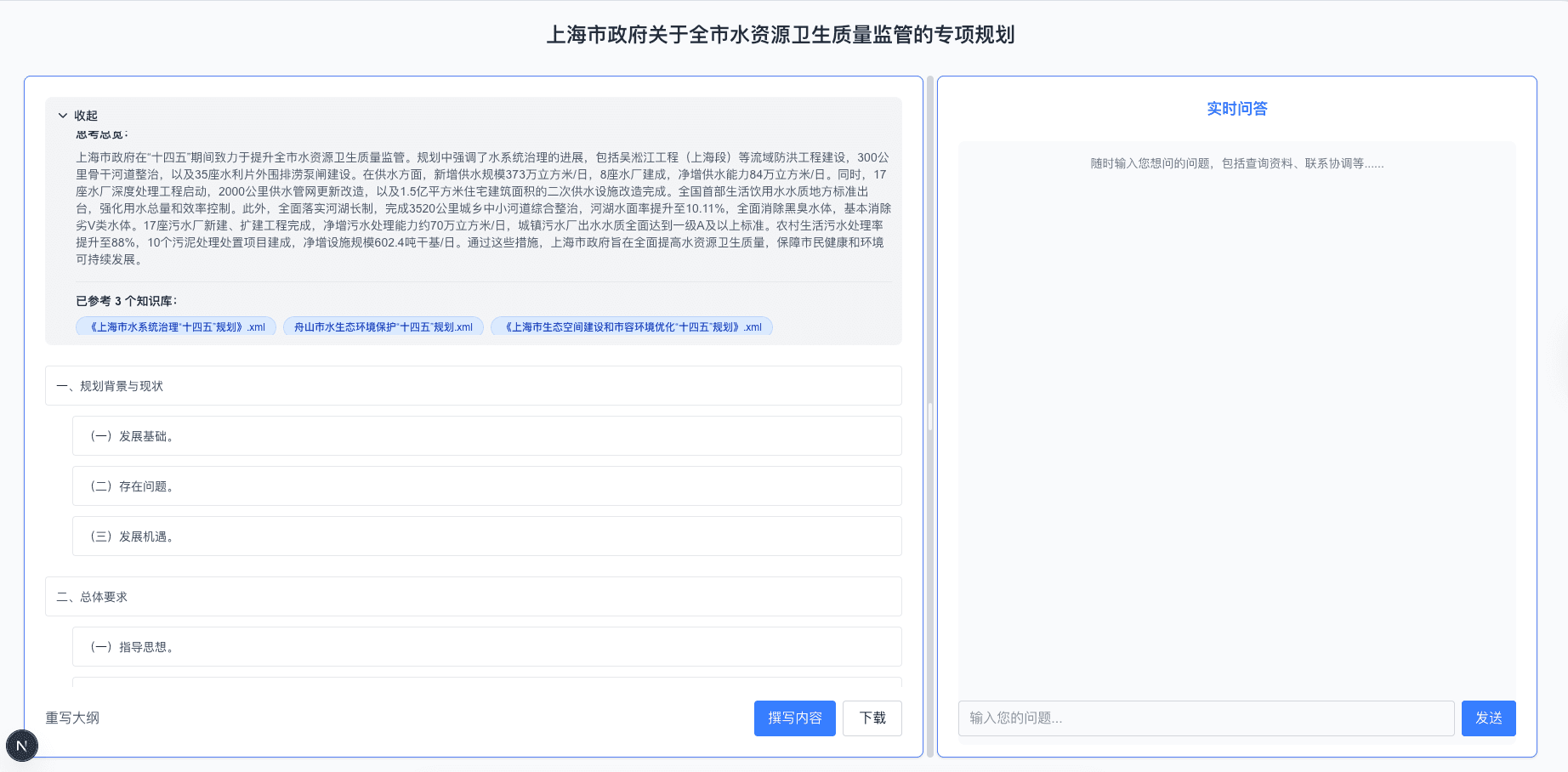
Graphic examples: knowledge base selection, the agent's thinking section, and the generated outline.
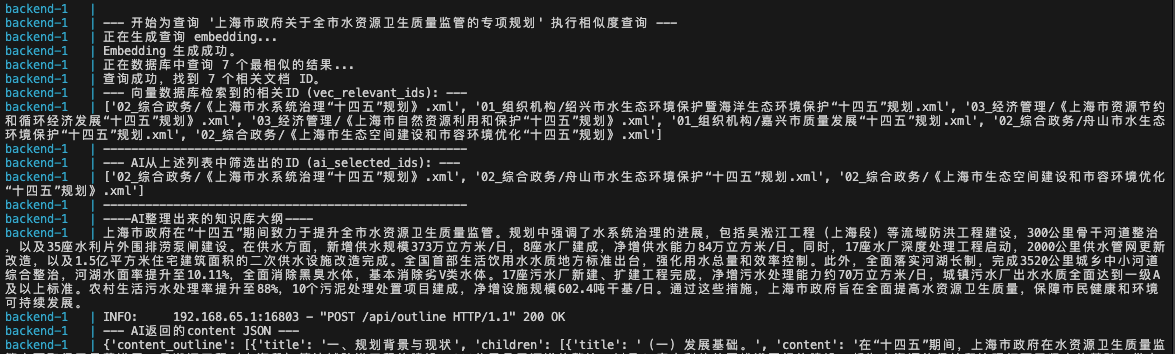
Behind the scenes, there are steps for embedding similarity checks and required compliance checks.
Pre-thinking & Outline Stage
As shown in the first picture, after inputting the title and selecting external resources, a thinking step extracts key information (similar to the thinking mode in ChatGPT/Gemini). After that, the agent proceeds to write the outline.
All steps are organized using LangGraph.
Content Generation / Outline Revision
Users can choose to generate the content for the current outline. In practice, changes are often needed, so the platform allows users to reprompt and rewrite specific outline sections with additional requirements.
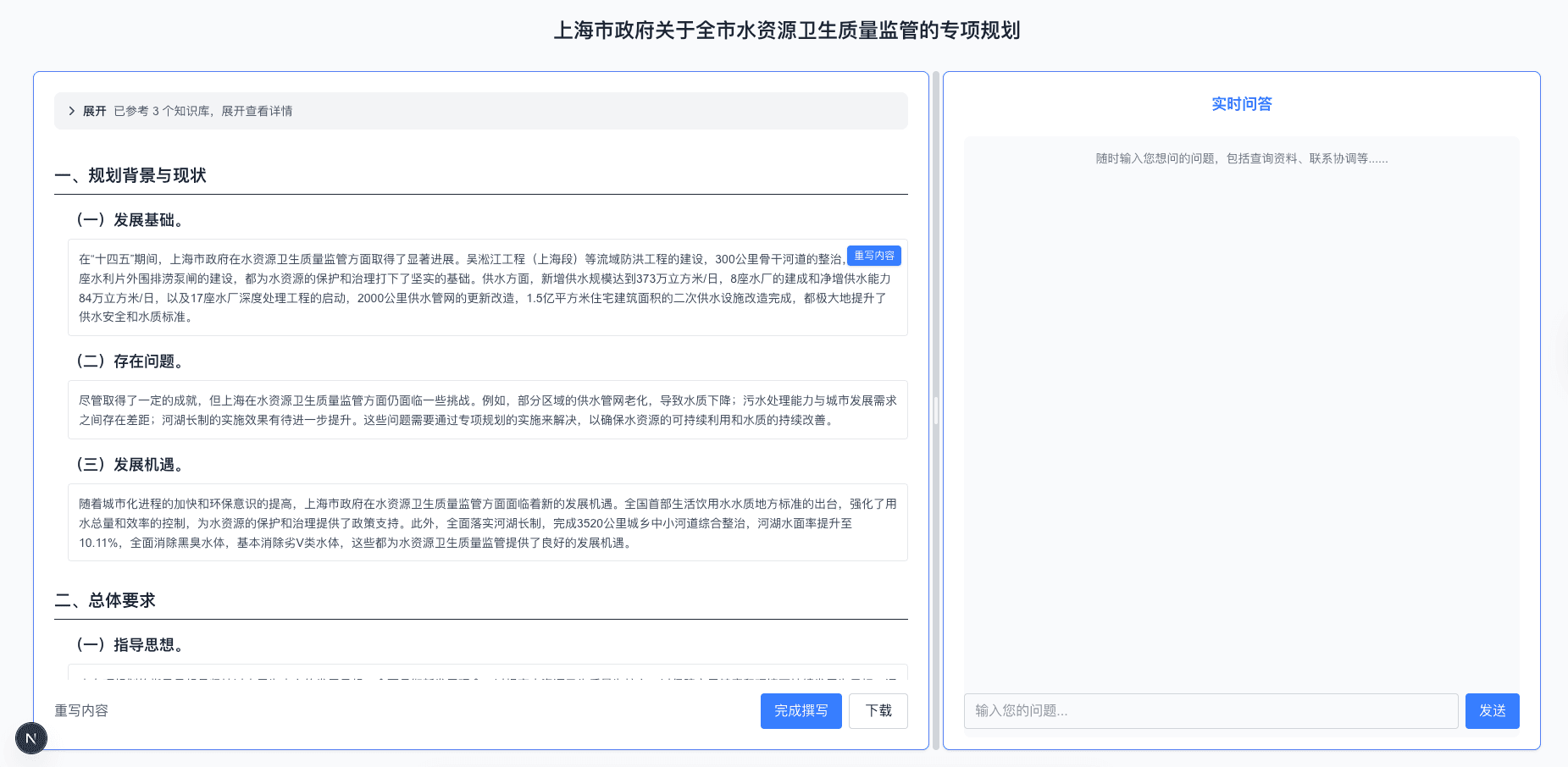
An example of generated content based on the outline in the previous picture.
Rewrite Content
Rewriting content follows the same flow as rewriting the outline. An example is below:
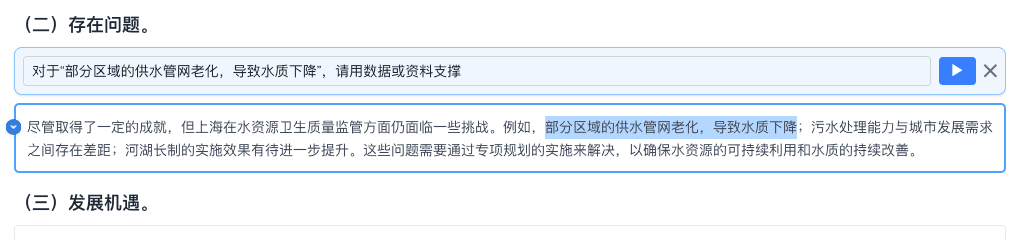
How the rewrite section works: user enters revision requirements.
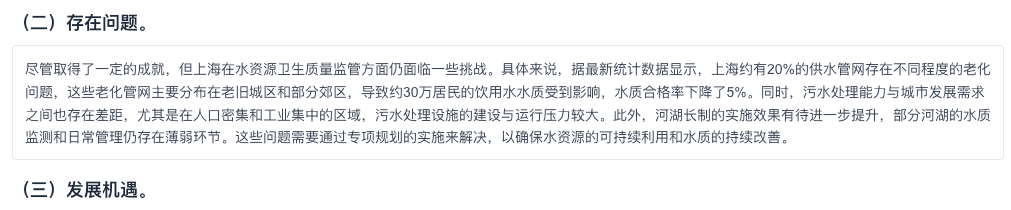
How the rewrite section works: update after user feedback.
Customized Knowledge Base / External Documentation
It is not limited to letting the AI select external reference resources. Users can assign fixed knowledge bases in the background and upload their own files, similar to attachments in major LLM chat platforms.
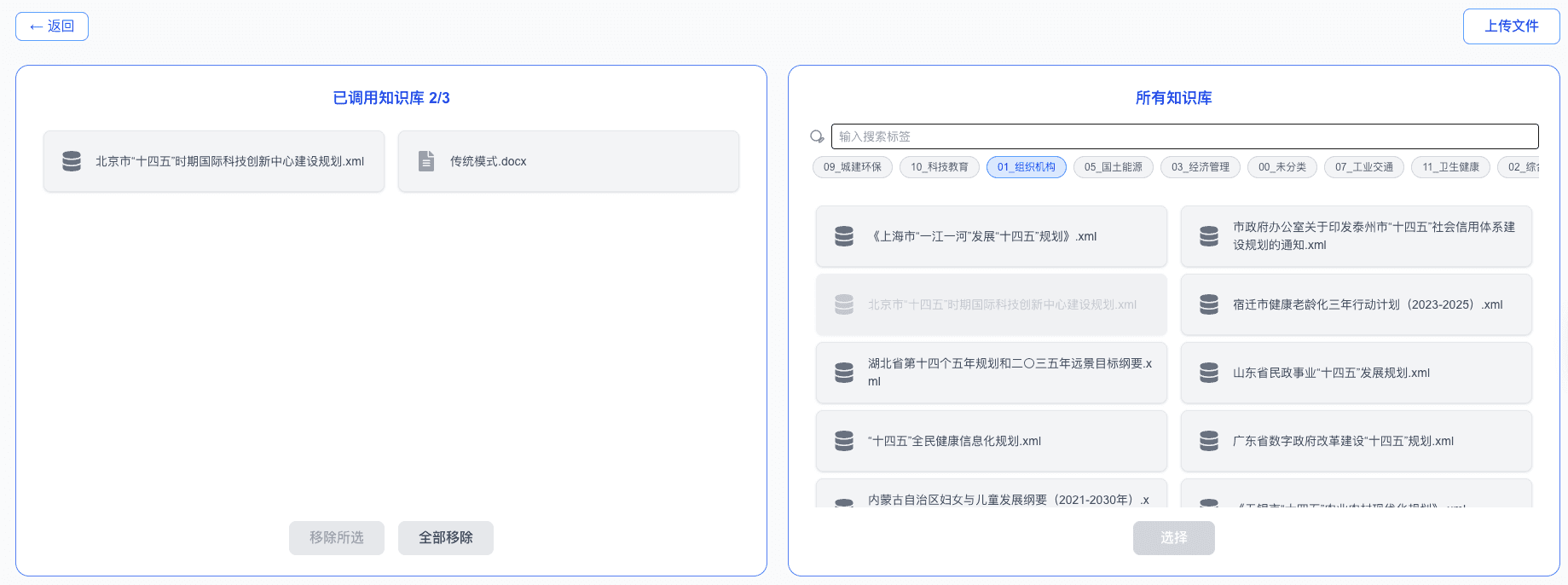
Users can decide what to include in the attachments.
Finish
Of course, the platform supports downloading the generated report.